Use Memory Explorer
Memory Explorer lets operators inspect Prism Memory, browse knowledge sources, review generated state, and ask questions against selected memory context.
Use this when you want to understand what Prism knows before asking an agent to write, summarize, triage, or plan work.
Open Memory Explorer
From the admin workspace, select Memory in the top navigation.
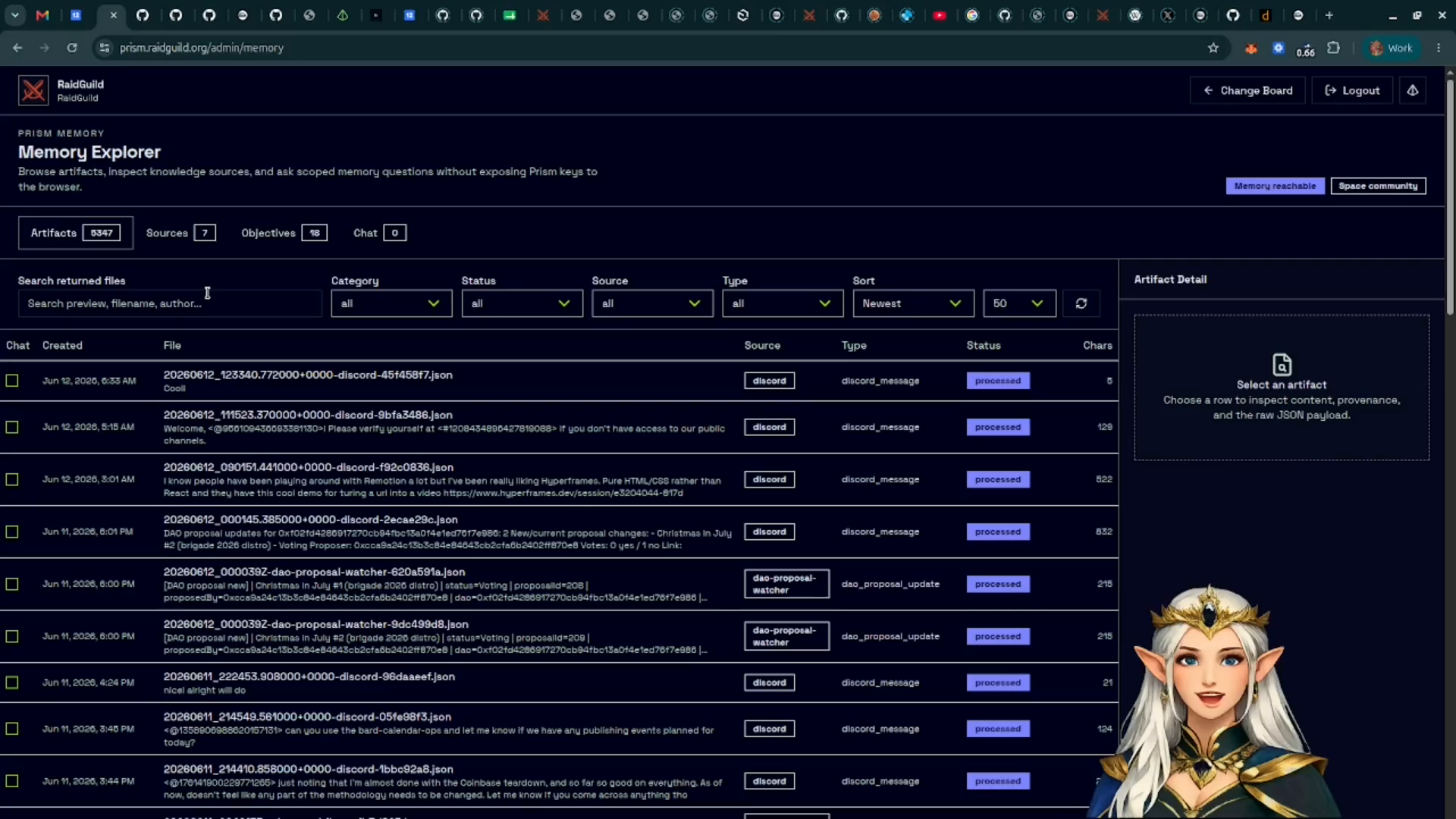
Memory Explorer is available when the site service can reach Prism Memory. If it is not configured, the admin page shows the missing environment setup.
Browse Memory Artifacts
The Artifacts view shows collected and generated memory files. These can include Discord collection outputs, digests, summaries, and other stored artifacts from memory jobs.
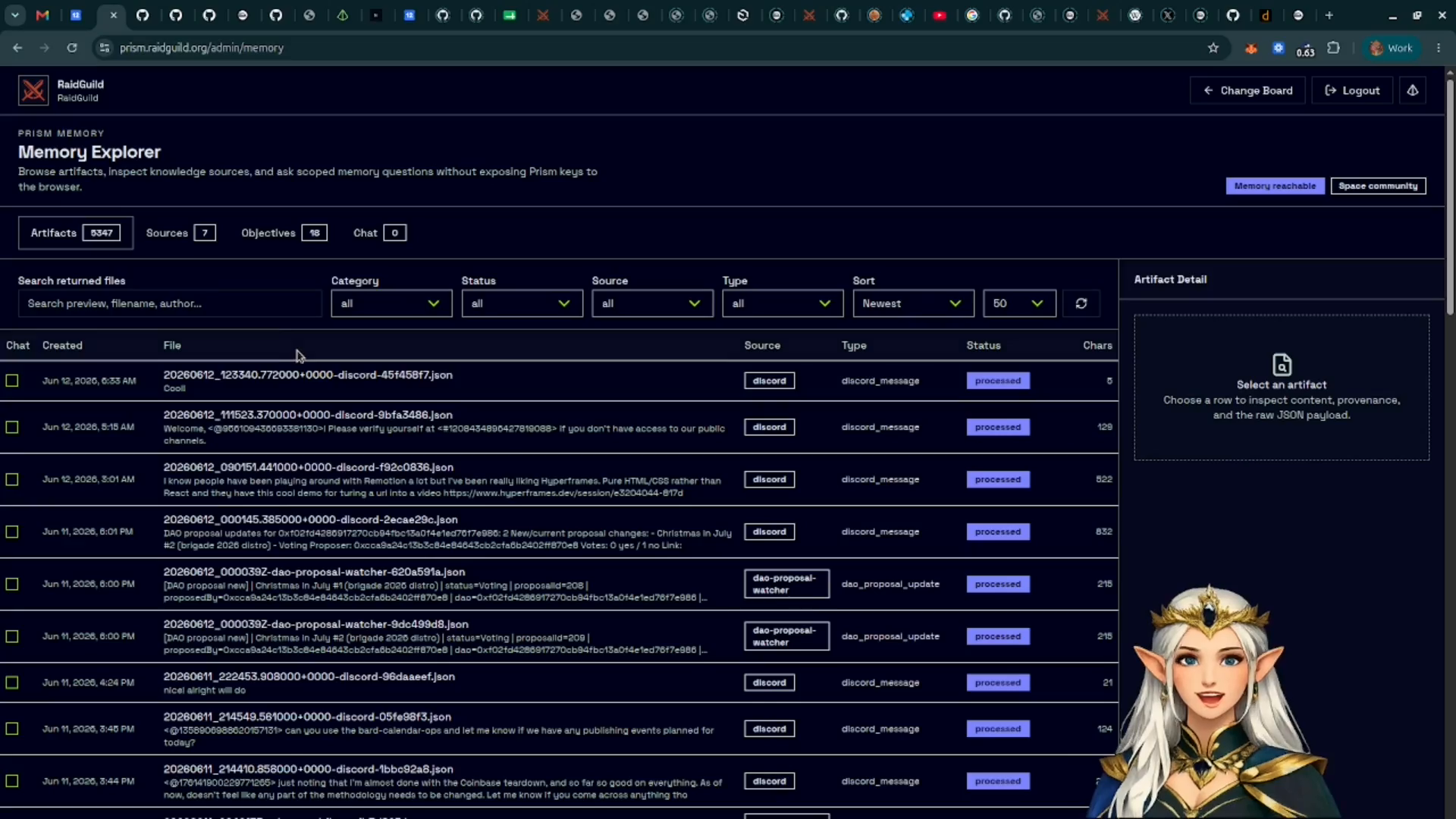
Use filters to narrow by category, status, source, tags, or sort order. Select an artifact to inspect its details.
Review Knowledge Sources
The Sources view lists longer-lived knowledge inputs. These are different from rolling memory: knowledge sources are meant to be evergreen project, community, or product references.
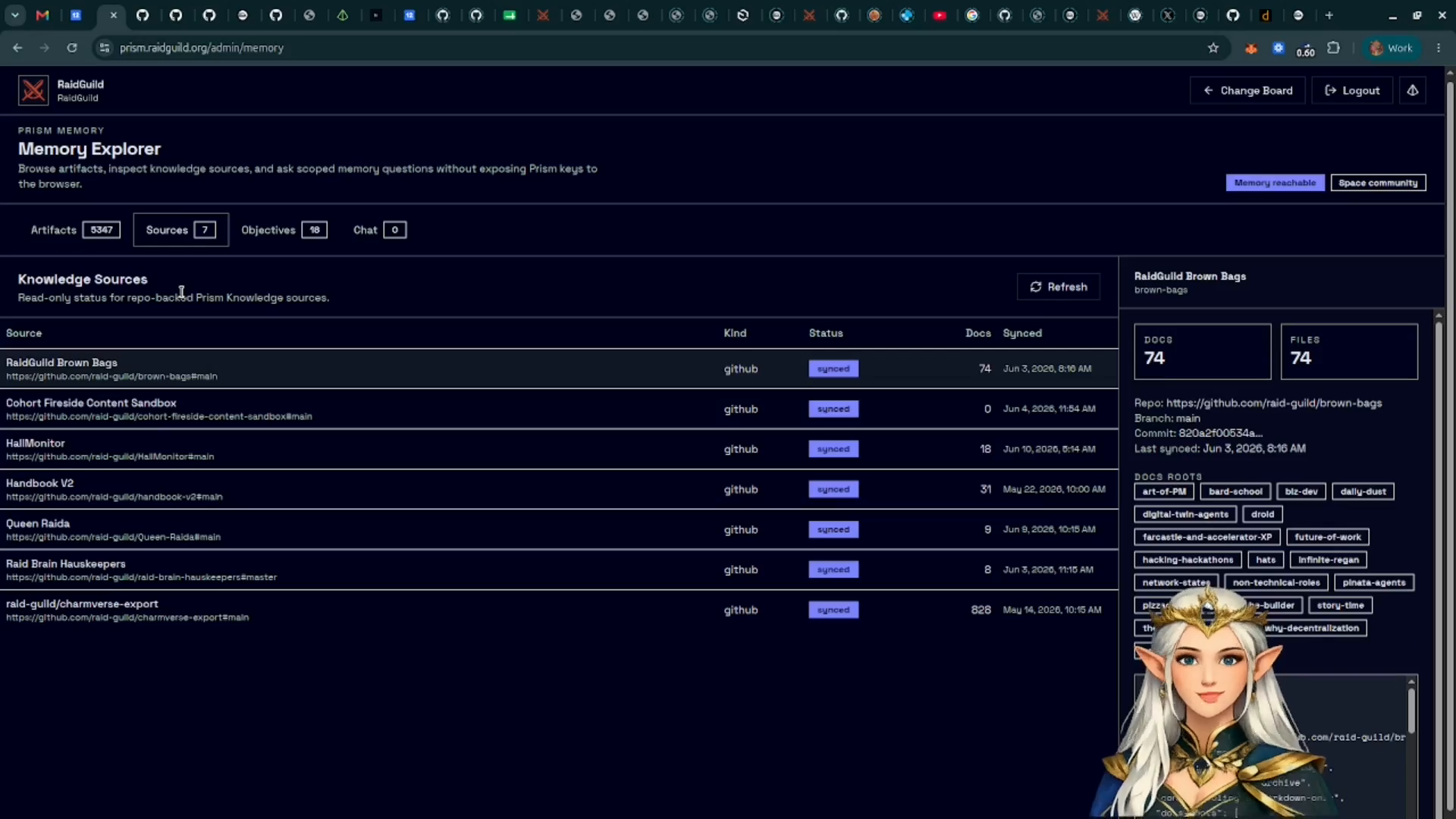
GitHub-backed sources can be refreshed so Prism Memory can pull the latest repo content into its local searchable index.
Inspect Objectives And Signals
The Objectives and Signals views summarize recurring topics, active work, and patterns Prism has inferred from memory.
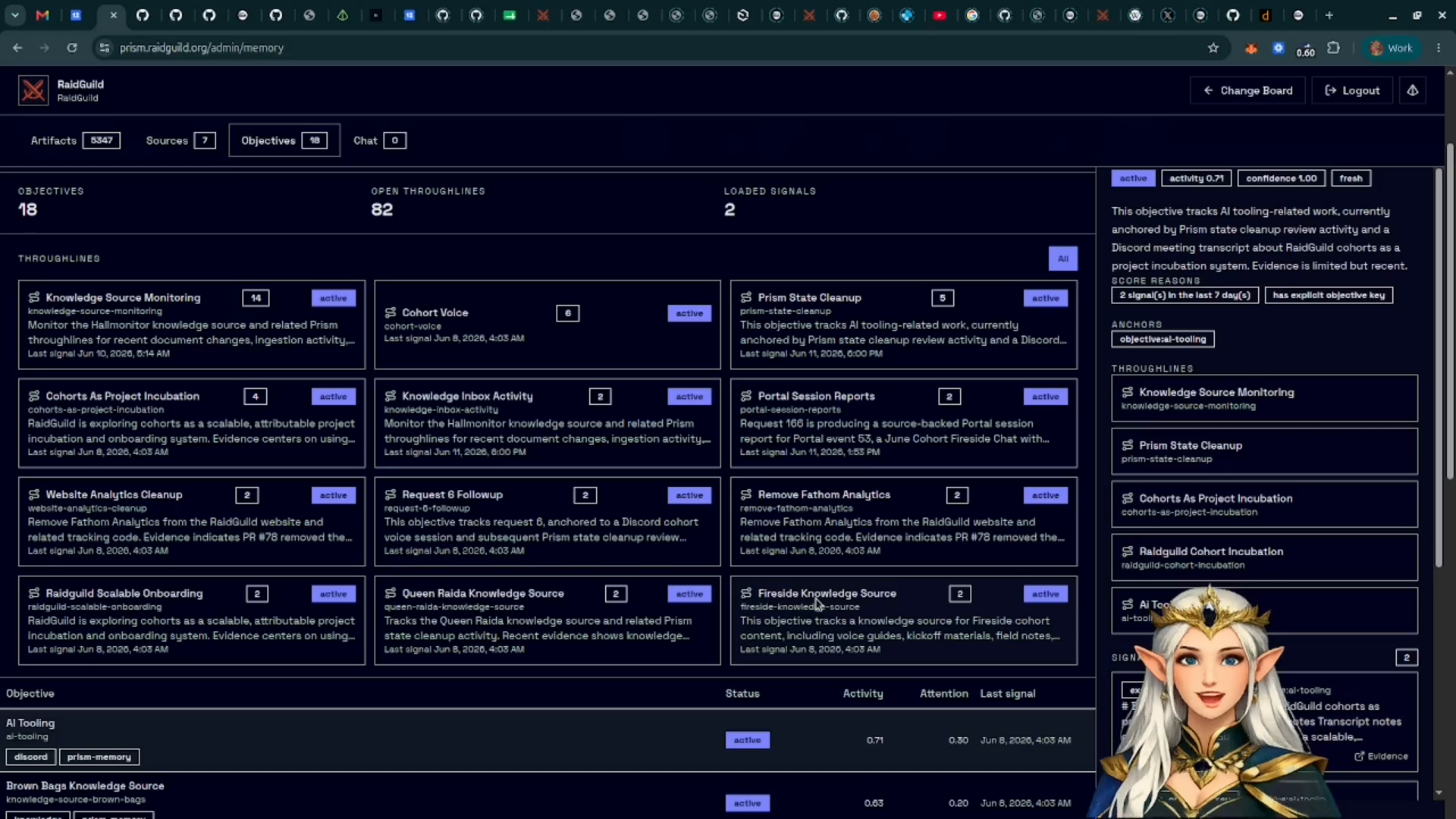
Treat this as an operator aid. It helps surface what is active or repeatedly discussed, but it should still be reviewed before using it as source material.
Ask Questions With Selected Context
Use Chat when you want a focused answer from a specific artifact, source, or set of selected records.
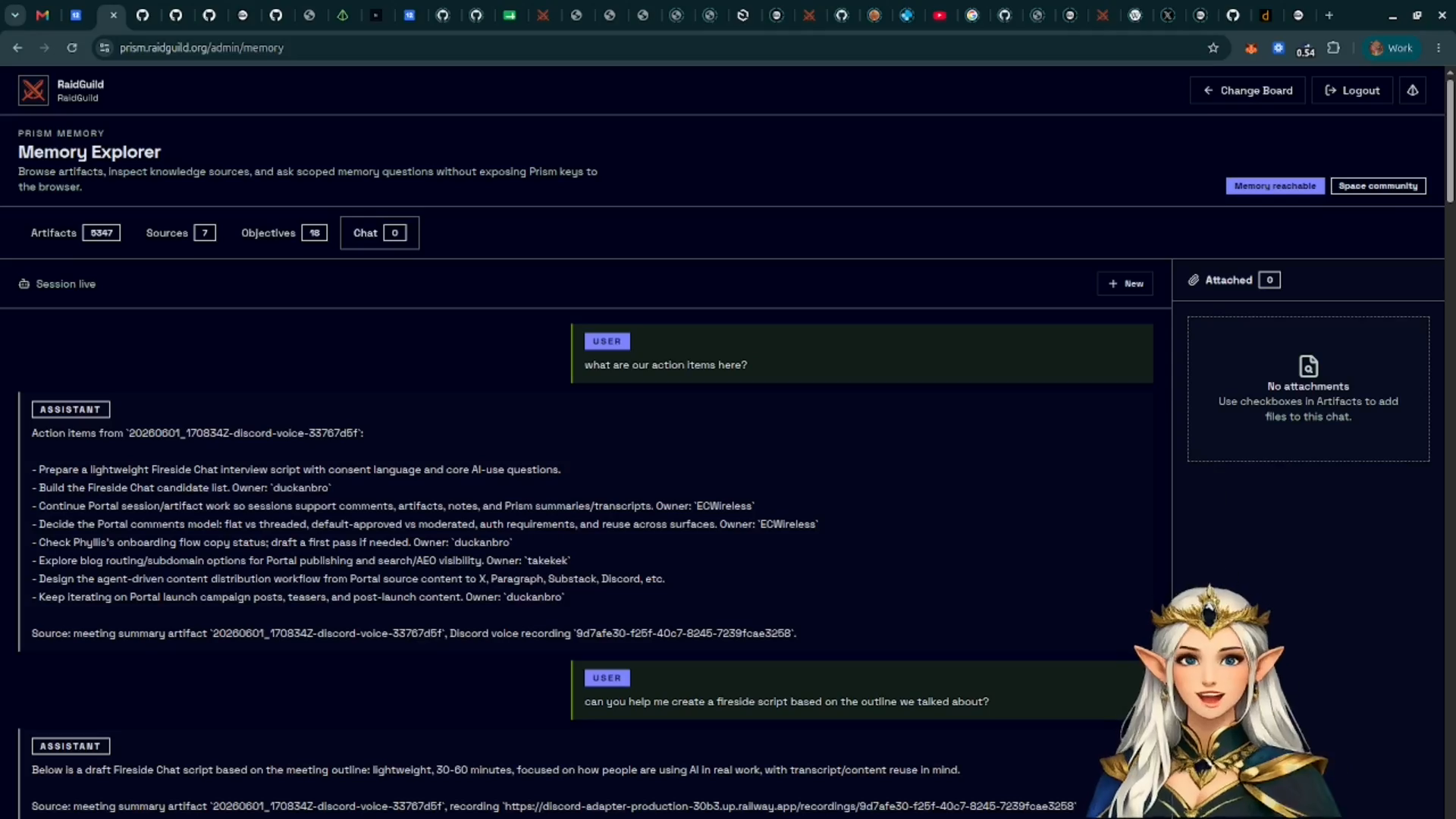
Attach the records you want the answer to consider, then ask a specific question. This keeps the context smaller and makes the answer easier to verify.
How Memory Differs From Knowledge
Memory is rolling and activity-based. It captures recent community or project activity and rolls that activity into digests and summaries over time.
Knowledge is longer-lived reference material. It is better for handbooks, project docs, repositories, and stable source material.
Prism uses a file-first approach for this layer. Instead of starting from a vector database as the primary source of truth, Prism Memory keeps artifacts and knowledge as files and indexes them for search.